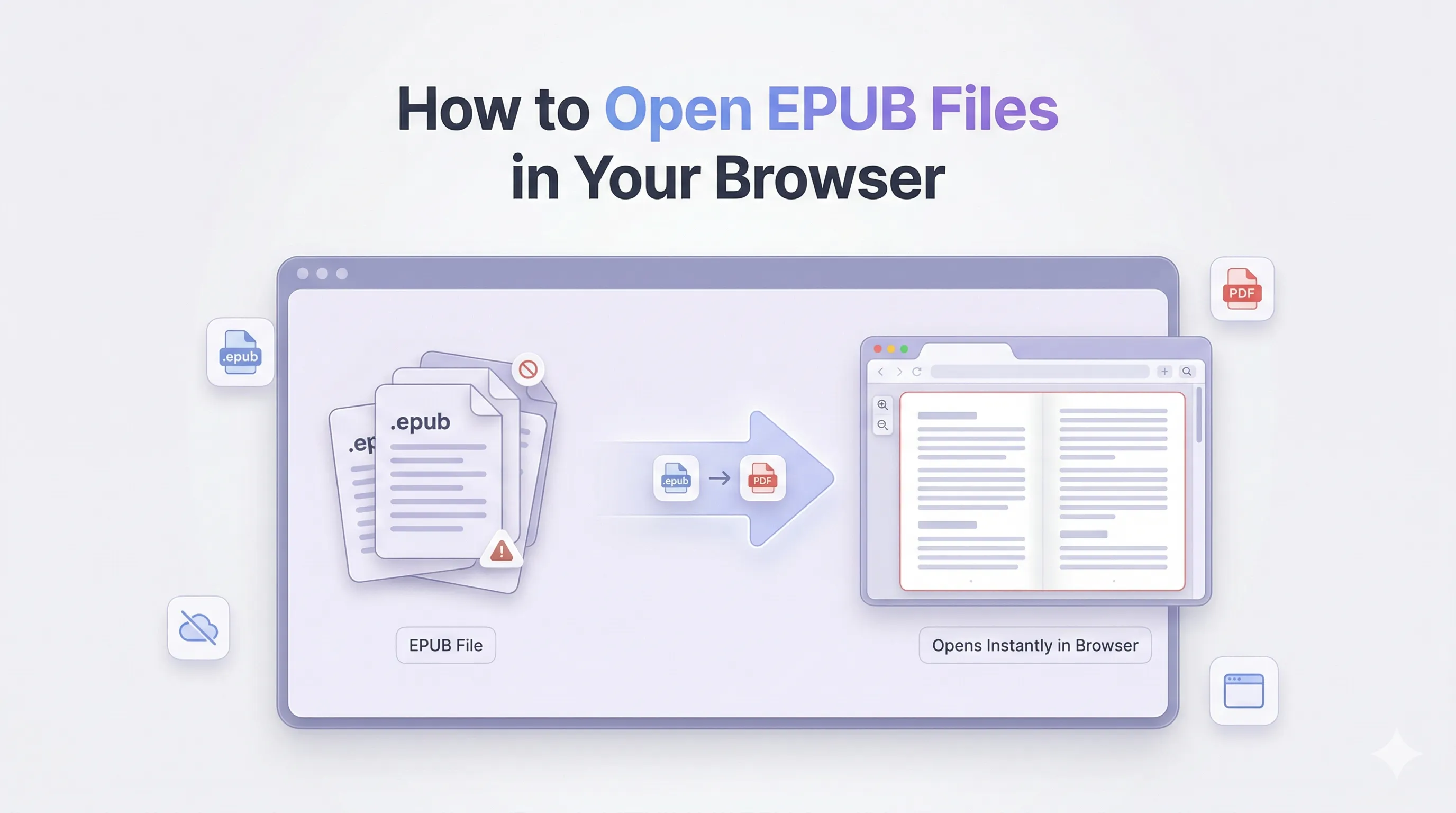
You download an EPUB file and try to open it, but nothing appears.
This is a common issue. EPUB is a standard ebook format, but most devices and browsers do not support it out of the box. Many guides recommend installing a separate reader, but that is not always required, especially for occasional use.
A simpler solution is available. You can open EPUB files in your browser without adding new software. This guide covers how EPUB files work, why they are not always easy to open, and the most direct way to start reading.
What Is an EPUB File (And Why It Won’t Open)
EPUB Explained Like a Zipped Website
An EPUB file is not a single document. It is a package of web-based files grouped together.
Inside an EPUB, you will find:
- HTML pages for content
- CSS for styling
- XML files for structure and metadata
- Images and cover files
You can think of an EPUB as a small website inside one file. This design lets EPUB files adjust to different screens and devices.
Why Browsers Can’t Open EPUB Files
Browsers such as Chrome, Safari, and Edge are built to display formats like PDF, images, and standard web pages.
EPUB files need special handling to organize chapters, styles, and navigation. Browsers do not include this capability by default, so they cannot open EPUB files directly.
PDF files open easily because browsers have built-in PDF viewers. EPUB does not have the same level of support.
EPUB vs PDF – Why EPUB Feels Difficult on Desktop
What Is Reflowable Content
EPUB files are designed for flexibility. Text adjusts to fit any screen size, which makes them well suited for mobile devices.
This allows readers to:
- Change font size
- Adjust spacing
- Read comfortably on small screens
Fixed Layout EPUB Files
Some EPUB files use a fixed layout instead of flexible text.
These are common in:
- Textbooks
- Comics
- Illustrated books
They are made to match printed pages exactly. Some basic readers may not display them as intended. In these cases, fixed layout provides a consistent reading experience.
3 Ways to Open EPUB Files (From Basic to Best)
You have several options for opening EPUB files, depending on your device and requirements.
Method 1: Use a Browser Extension
You can install EPUB reader extensions for browsers like Chrome or Firefox.
Pros:
- Opens EPUB files directly in the browser
- Easy to use after setup
Cons:
- Adds extra extensions to your browser
- May slow down performance
- Some extensions request broad permissions
This method is most useful if you read EPUB files often.
Method 2: Use Built-in Apps on Your Device
Some devices already support EPUB files.
- macOS and iPhone open EPUB files in Apple Books
- Android supports EPUB through Google Play Books
- Windows does not have a built-in EPUB reader
Microsoft Edge previously supported EPUB files, but the feature was removed, which is why many Windows users now look for alternatives.
Method 3: Open EPUB in Your Browser (No Install Required)
This approach is simple and flexible.
Instead of forcing your browser to open EPUB files, you can convert them into a format your browser supports.
Why This Method Works
Modern browsers include powerful PDF viewers. They allow you to:
- Read files instantly
- Search within text
- Zoom and adjust view
- Print when needed
Converting EPUB to a browser-friendly format lets you open and read the file without installing extra software.
Step-by-Step: Open EPUB File in Your Browser
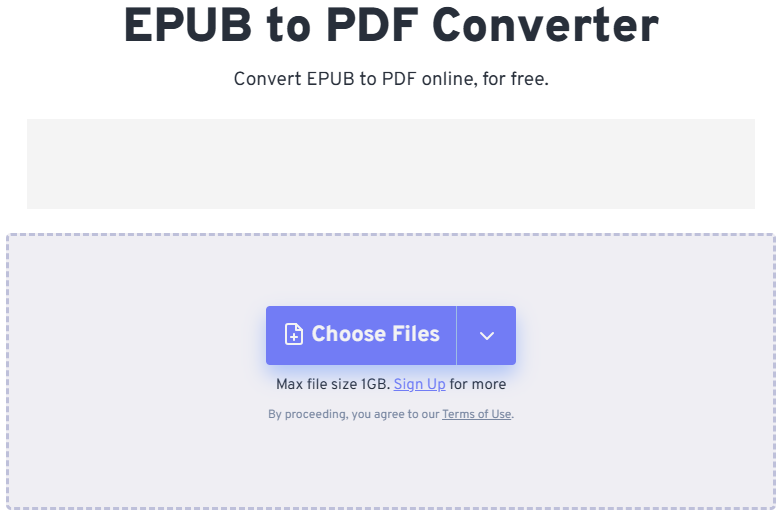
- Upload your EPUB file to a converter
- Choose a browser-compatible output format
- Convert the file
- Open it directly in your browser
After conversion, your book is easy to access on any device.
If you need a quick solution, online tools such as FreeConvert’s EPUB to PDF converter let you open files in a few steps without downloading software.
Why Converting EPUB Makes Reading Easier
Converting EPUB files removes common limitations and makes reading easier.
- Works across all browsers and devices
- No need to install apps
- Maintains consistent formatting
- Easier to share and store
This is a practical option when you need quick access to a file.
How to Open EPUB File on Different Devices
How to Open EPUB File on Windows
Windows does not have a built-in EPUB reader, which causes issues for many users.
You can:
- Use a reader like Calibre
- Install a browser extension
- Or open the file in your browser using a compatible format
If you do not want to install software, using your browser is often the fastest option.
How to Read EPUB on iPhone
On iPhone, EPUB files open easily in Apple Books.
You can:
- Adjust font size
- Change themes
- Add bookmarks
If you need to use the file outside of Apple Books or want to share it, converting it to a browser-friendly format is helpful.
How to Open EPUB on Android
Android supports EPUB files through apps like Google Play Books.
You can upload your file and read it across devices.
If you prefer not to use apps, converting the file and opening it in your browser is a straightforward alternative.
How to Open EPUB on Mac
Mac devices natively support EPUB files in Apple Books.
You can double-click the file and start reading immediately.
If you need flexibility across devices or want a consistent layout, converting to a widely supported format can help.
DRM-Protected EPUB Files (Important Limitation)
Some EPUB files are protected by DRM (Digital Rights Management).
This applies to books from platforms such as:
- Amazon Kindle
- Apple Books
- Library apps like Libby
These files cannot be opened or converted with standard tools. You must use the official app for that content.
Privacy and Security: Avoid Risky Downloads
Many people download EPUB reader software from untrusted sources online.
This can expose your device to:
- Malware
- Unwanted applications
- Security risks
Using browser-based tools avoids installation and lowers these risks. It is usually safer and more convenient.
Batch Convert EPUB Files for Easy Reading
If you have several EPUB files, converting them individually can be time-consuming.
Batch processing allows you to:
- Convert several files at once
- Build a ready-to-read collection
- Access your files quickly in any browser
Batch conversion is useful for book series or large collections.
Why No-Install Reading Works Better Today
Most people avoid installing new software unless it is required.
Browser-based solutions offer:
- Faster access
- Cross-device compatibility
- No setup or maintenance
Instead of using multiple apps, you can rely on tools already available on your device.
Your Browser Can Be Your E-Reader
You do not need a separate app to open an EPUB file.
Once you know how the format works, the solution is clear. Make the file compatible with your browser, and you can start reading right away.
This approach is simple, flexible, and works on nearly any device.
FAQs
How to open EPUB file without installing software?
You can convert the EPUB file into a browser-compatible format and open it directly in your browser.
How to open EPUB file as PDF?
Upload your EPUB file to a converter, select PDF as the output, and open the converted file in your browser.
Can Chrome open EPUB files directly?
No, Chrome does not support EPUB files natively. You need an extension or an alternative method.
What is the best EPUB reader without download?
Converting the file and opening it in your browser is one of the easiest ways to read EPUB without installing software.
How to read EPUB on iPhone?
You can use Apple Books or open the file in your browser after converting it into a compatible format.
Is EPUB better than PDF?
EPUB is better for flexible reading on mobile devices, while PDF offers a consistent layout and broader compatibility.