Product images are more than just a way to display what you sell. They influence how customers perceive your brand, compare products, and make purchasing decisions. A clear and consistent visual style is not simply a design choice; it is a key part of building trust and improving conversions.
Most guides focus on how to make a background transparent, but that is only one part of the process. E-commerce teams need a reliable, repeatable method to prepare large numbers of images for platforms like Amazon, Shopify, and Etsy, while maintaining quality throughout.
This guide focuses on that bigger picture. You will learn how transparent PNGs work, why they matter, and how to build a reliable workflow that scales.
Why Transparent PNGs Matter More Than Ever in E-commerce
Marketplace Requirements You Cannot Ignore
Most major platforms have strict image rules.
- Amazon Seller Central requires a pure white background for main images, often defined as RGB 255,255,255
- Google Shopping and Merchant Center expect clean, distraction-free visuals
- Etsy and Shopify reward consistent, professional presentation across listings
Even when transparency is permitted, the goal remains unchanged: the product should be the clear focus. Any extra visual elements reduce clarity and can impact how often people click on your listings.
Cleaner Images, Better Conversions
When shoppers scroll through dozens of similar products, clarity wins.
A transparent or perfectly clean background:
- Removes distractions
- Makes the product easier to compare
- Helps your listing look more professional
This approach often results in higher engagement and improved conversion rates.
The Ghost Mannequin Effect Explained
You have likely seen clothing images that look like they are floating in shape without a model. This is known as the ghost mannequin or invisible mannequin effect.
This effect is created by combining several images and using transparency to remove the mannequin. The result is a natural, structured, and clean product photo. Transparent PNGs make it possible to achieve this look without complicated editing for each image.
What Is a Transparent PNG and How It Actually Works
PNG vs JPEG in Simple Terms
A PNG (Portable Network Graphics) file supports transparency. A JPEG does not.
- JPEG replaces removed areas with solid color
- PNG preserves empty areas as transparent
For product images that need to be placed on different backgrounds or layouts, PNG is the preferred format.
Understanding the Alpha Channel (RGBA)
A PNG image is not just Red, Green, and Blue. It also includes an Alpha channel.
- R, G, B define the color
- Alpha defines visibility
If Alpha is 100 percent, the pixel is fully visible. If it is 0 percent, the pixel is invisible. This is what allows clean background removal without filling the space with color.
Why Edge Quality Matters (Aliasing vs Anti-Aliasing)
Not all transparent images are equal. The edges make a big difference.
- Aliasing creates jagged edges
- Anti-aliasing smooths edges for a natural look
Lower-quality tools can leave a faint outline or halo around the product. This is especially noticeable when images are used on different backgrounds and can make your product photos look less professional.
What Makes a High-Quality Transparent PNG Maker
Selecting a transparent PNG maker should prioritize quality over speed.
Look for tools that offer:
- Accurate edge detection, even with complex shapes
- Ability to separate similar colors, such as white products on light backgrounds
- Clean edges without halos or rough lines
- Batch processing for large product catalogs
- Lossless output that preserves detail
- Compatibility with e-commerce platform requirements
These features make the difference between images that look polished and those that appear rushed.
The Professional Workflow for Creating Transparent Product Images
A dependable workflow is what allows small sellers to grow into scalable brands. By standardizing your process, you avoid treating each image as a one-off task.
Step 1: Remove the Background with Precision
The first step is accurate background removal. This is where most quality issues begin.
Modern tools use AI edge detection to identify the product and separate it from the background. The challenge comes when the product and background share similar tones, such as a white sneaker on a light surface.
A dedicated tool like ClipSnap’s background remover focuses on edge precision. It is designed to preserve fine details while avoiding the halo effect. For growing stores, batch removal is especially useful. Instead of editing one image at a time, you can process entire product sets efficiently.
Getting this step right is essential for the rest of your workflow.
Step 2: Convert to a High-Quality PNG Format
After removing the background, the image needs to be saved in the right format.
Converting to PNG ensures that transparency data is preserved. More importantly, PNG uses lossless compression, which means the image retains its original detail.
Using a tool like the Freeconvert PNG Converter helps lock in that quality. This becomes important when images are reused across product pages, ads, and marketplaces. A low-quality file may look acceptable once, but repeated edits can quickly degrade it.
At this point, you are building a reusable asset, not just a single transparent image.
Step 3: Resize and Optimize for Each Platform
Different platforms have different requirements. Consistency is key.
- Amazon recommends at least 1000 pixels on the longest side for zoom functionality
- Shopify often works best with square images, typically a 1:1 aspect ratio
- Etsy benefits from a mix of consistent product shots and styled visuals
Batch resizing tools help standardize your entire catalog. Instead of adjusting each image manually, you can apply the same dimensions across hundreds of files.
This step helps your images remain consistent across every platform where they are used.
PNG vs WebP for E-commerce Images
When PNG Is the Better Choice
PNG remains the preferred format for high-quality product images.
- Supports transparency
- Preserves fine details
- Ideal for catalog and product pages
If visual quality is a priority for your brand, PNG remains the most dependable choice.
When WebP Can Be Useful
WebP offers smaller file sizes, which can improve loading speed. It is often used for:
- Blog images
- Thumbnails
- Supporting visuals
However, WebP does not always preserve the same level of detail as PNG.
Balancing Quality and Speed
Site speed affects both user experience and key performance metrics. The aim is to find the right balance between fast loading times and high image quality.
Many stores use PNG for main product images and WebP for supporting visuals. This keeps product photos sharp and helps pages load quickly.
Platform-Specific Image Optimization Guide
Shopify
- Best with square images, typically 1:1
- Transparent PNGs adapt better to different themes
- Keeps product presentation consistent across layouts
Amazon Seller Central
- Minimum 1000 pixels for zoom
- Clean background required for main images
- High clarity improves product visibility
Etsy
- Combination of lifestyle images and clean product shots
- Transparent PNGs help maintain consistency across listings
WooCommerce, Magento, BigCommerce
- More flexibility in design
- Still benefit from standardized sizes and clean backgrounds
Simple Photography Tips That Improve Background Removal Accuracy
High-quality input leads to better results. Making a few adjustments to your photography setup can have a noticeable impact.
- Use a high-contrast background when possible
- Avoid shadows touching the backdrop
- Keep lighting even across the product
- Set proper white balance to avoid color shifts
- Capture images in high resolution
Following these steps helps background removal tools detect edges more accurately and reduces the need for manual corrections.
Common Mistakes to Avoid When Creating Transparent PNGs
Even with good tools, mistakes can affect the final result.
- Using low-resolution source images
- Ignoring edge quality and leaving halos
- Over-compressing files and losing detail
- Mixing different aspect ratios across products
- Skipping batch processing and creating inconsistency
Addressing these issues early saves time and helps your catalog maintain a professional appearance.
Security and Data Privacy for Product Images
For many sellers, product images are not public yet. They may represent upcoming launches or new designs.
It is important to choose tools that process files securely. Look for features such as:
- Temporary processing without long-term storage
- Automatic file deletion after conversion
- Safe handling of uploads
Tools such as ClipSnap and ImageResizer follow these practices, so your product data stays protected throughout the process.
Best Transparent PNG Makers for E-commerce (2026)
ClipSnap
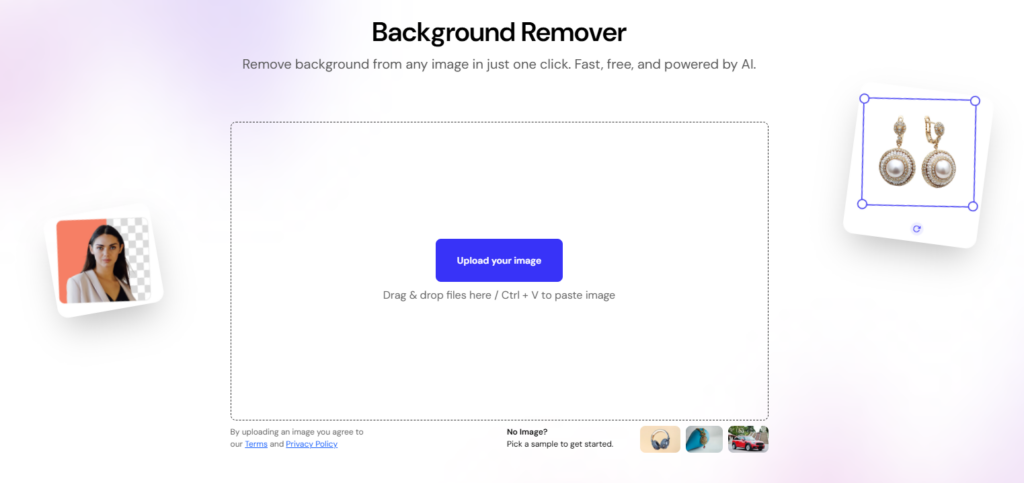
ClipSnap is designed for precise background removal, with a focus on clean edges and accurate detection, even for complex products. Its batch processing feature is especially helpful for growing product catalogs.
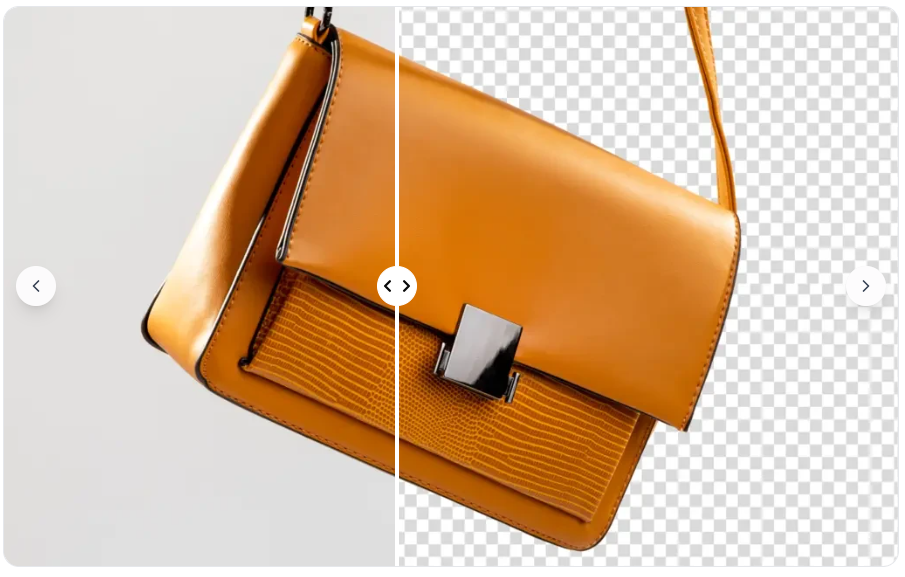
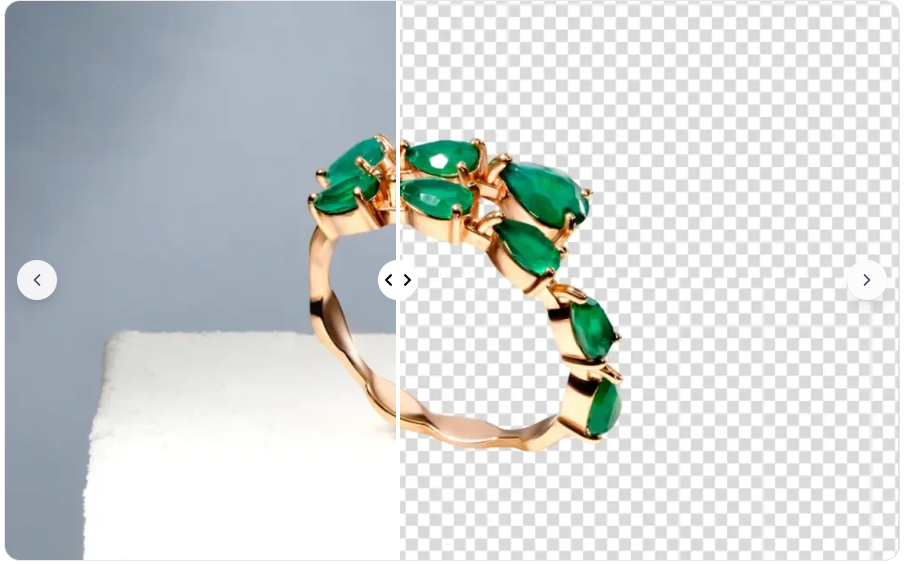
ImageResizer PNG Converter
ImageResizer PNG Converter is ideal for turning images into high-quality PNG files. It uses lossless compression to preserve detail and delivers consistent results for a range of needs.
Canva and CapCut
Canva and CapCut are useful for quick edits and creating social content, but they are not built for managing large product inventories or ensuring consistent image standards.
WeShop.ai
WeShop.ai specializes in AI-generated scenes and visuals, which can be helpful for creative marketing. However, it is less suited for situations where product accuracy is essential.
Adobe Photoshop
Adobe Photoshop provides full control and advanced editing options. While it is powerful, it can be time-consuming when working with large numbers of images.
Building a Scalable Product Image Workflow
A strong workflow helps your store expand while maintaining image quality.
A simple structure works well:
- Remove the background with precision
- Convert to PNG to preserve transparency
- Resize and standardize for each platform
This approach makes image editing a repeatable process, rather than a manual chore.
If you already use tools in the FreeConvert ecosystem, you can combine them to support this workflow. The aim is not just to produce a single good image, but to keep your entire catalog consistent.
FAQs
What is the best transparent png maker for product images
The best option depends on your workflow. Tools that offer precise edge detection and batch processing are more suitable for e-commerce than basic editors.
How do I make a PNG background transparent without losing quality
Start with a high-resolution image, use a reliable background removal tool, and export the final file as a PNG using lossless compression.
Is PNG better than JPEG for e-commerce
PNG is better when you need transparency and high detail. JPEG is useful for smaller file sizes but does not support transparent backgrounds.
Can I process product images in bulk
Yes. Many modern tools support batch processing, allowing you to edit multiple images at once. This is essential for scaling an online store.
Why do my PNG edges look rough
This usually happens due to poor edge detection or lack of anti-aliasing. Using a higher-quality tool can help produce smoother edges.
What size should product images be for Amazon or Shopify
Amazon typically requires at least 1000 pixels on the longest side for zoom. Shopify works well with square images, often in a 1:1 ratio.
A transparent PNG maker is more than a design tool. It is a key part of the system that shapes how your products are presented, scaled, and sold. When every step is managed carefully, you end up with a clean, consistent catalog that builds trust and performs well on every platform.